BeFree Gantry 1.0: A Free Dark Industrial Theme for WordPress
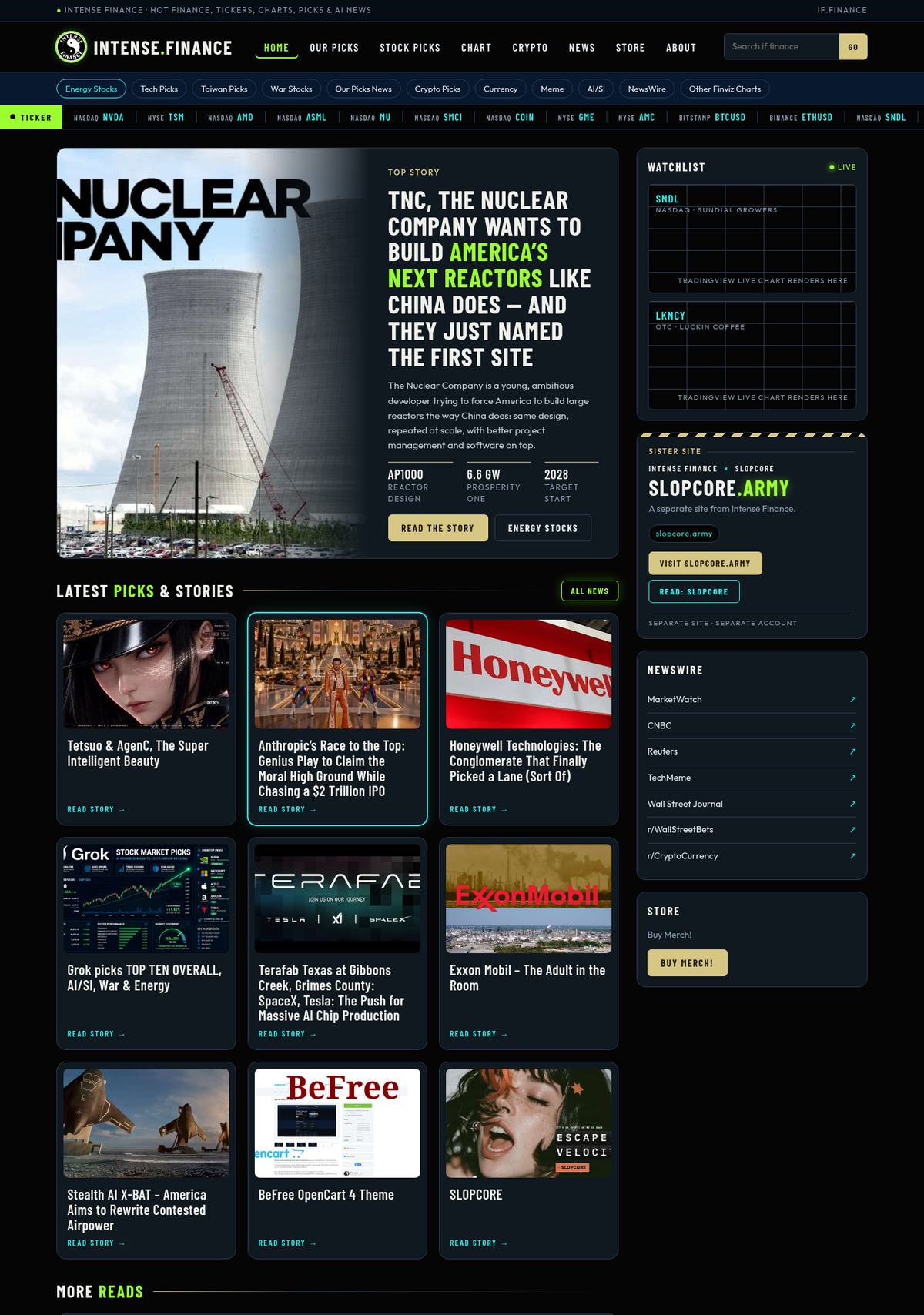
The new look on if.finance is now a theme anyone can use: BeFree Gantry. It is a free, GPLv3 theme for WordPress built on the Gantry 5 framework, and version 1.0.0 is out now on GitHub.
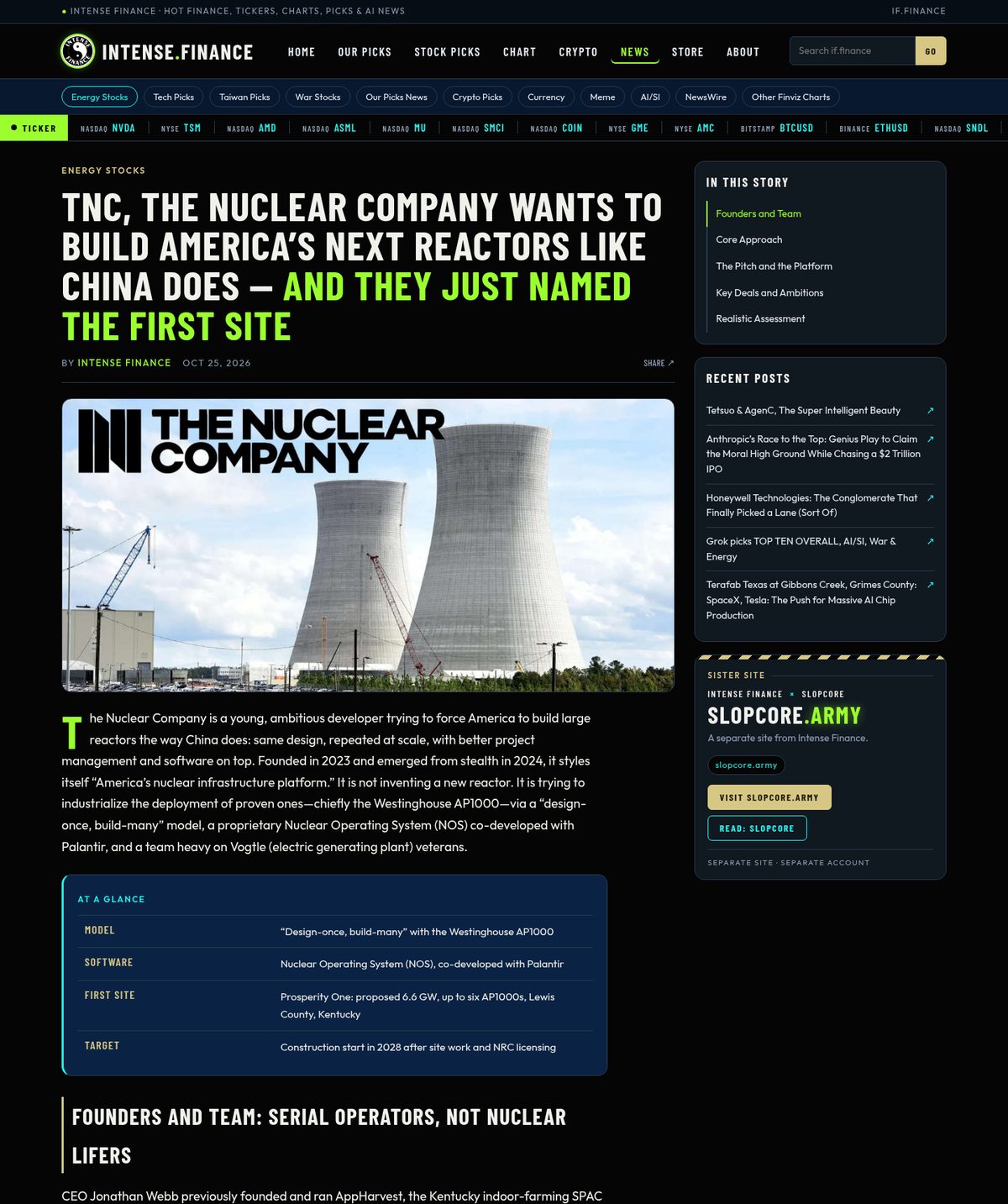
It blends two of our designs into one: the dark industrial BeFree look from our OpenCart theme (navy, gold, Barlow Condensed, chamfered cards) and the if.finance neon palette (lime for anything “live”, cyan for links). That mix is the look you see on if.finance right now.
What you get
- 6 style presets, every one checked for WCAG AA text contrast.
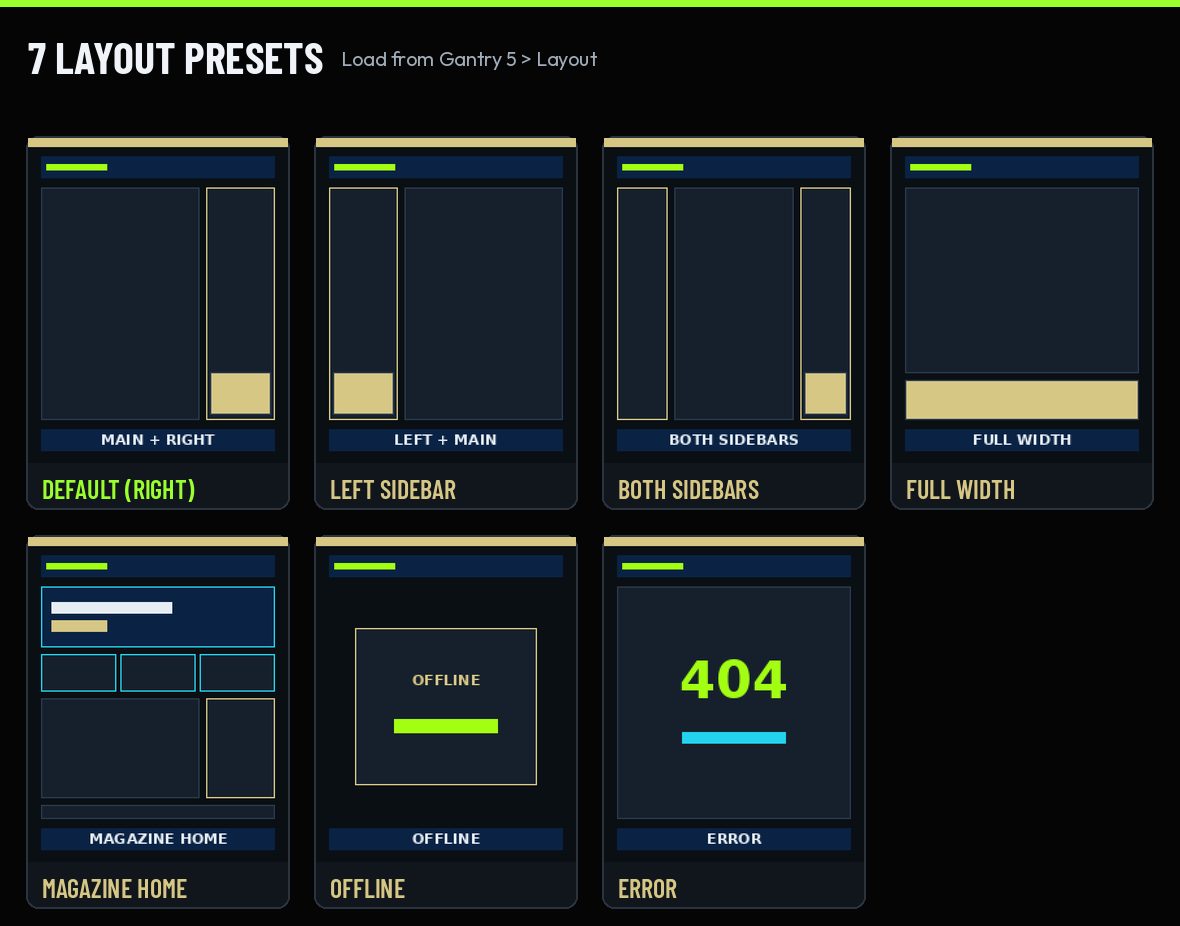
- 7 layout presets, from a classic right sidebar to a magazine-style home page.
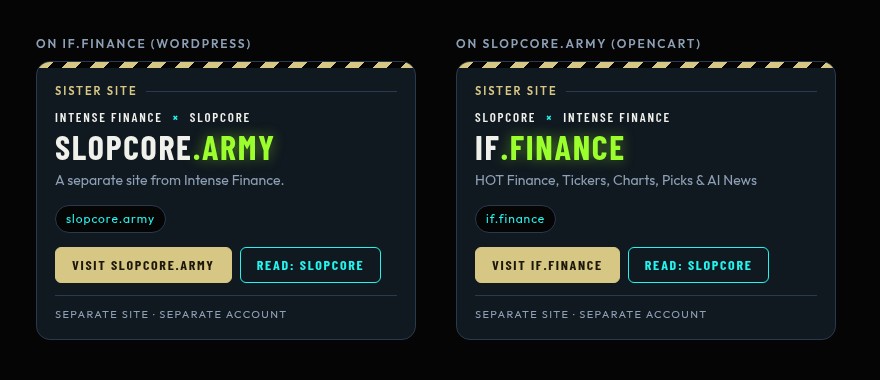
- A Sister Site block that links two websites together while they stay separate.
- Chart-safe styling that leaves TradingView and other chart embeds alone.
- Local fonts: Barlow Condensed for headings and Outfit for body text, both under the SIL Open Font License. No requests to Google.
- No phoning home: no tracking and no update server. Updates are a simple zip upload.
Six styles, one click
Pick a style in Gantry 5 > Styles > Presets. Each one fills a new BeFree Meld settings section, so you can fine-tune gold, card colors, borders and corner radius afterward.
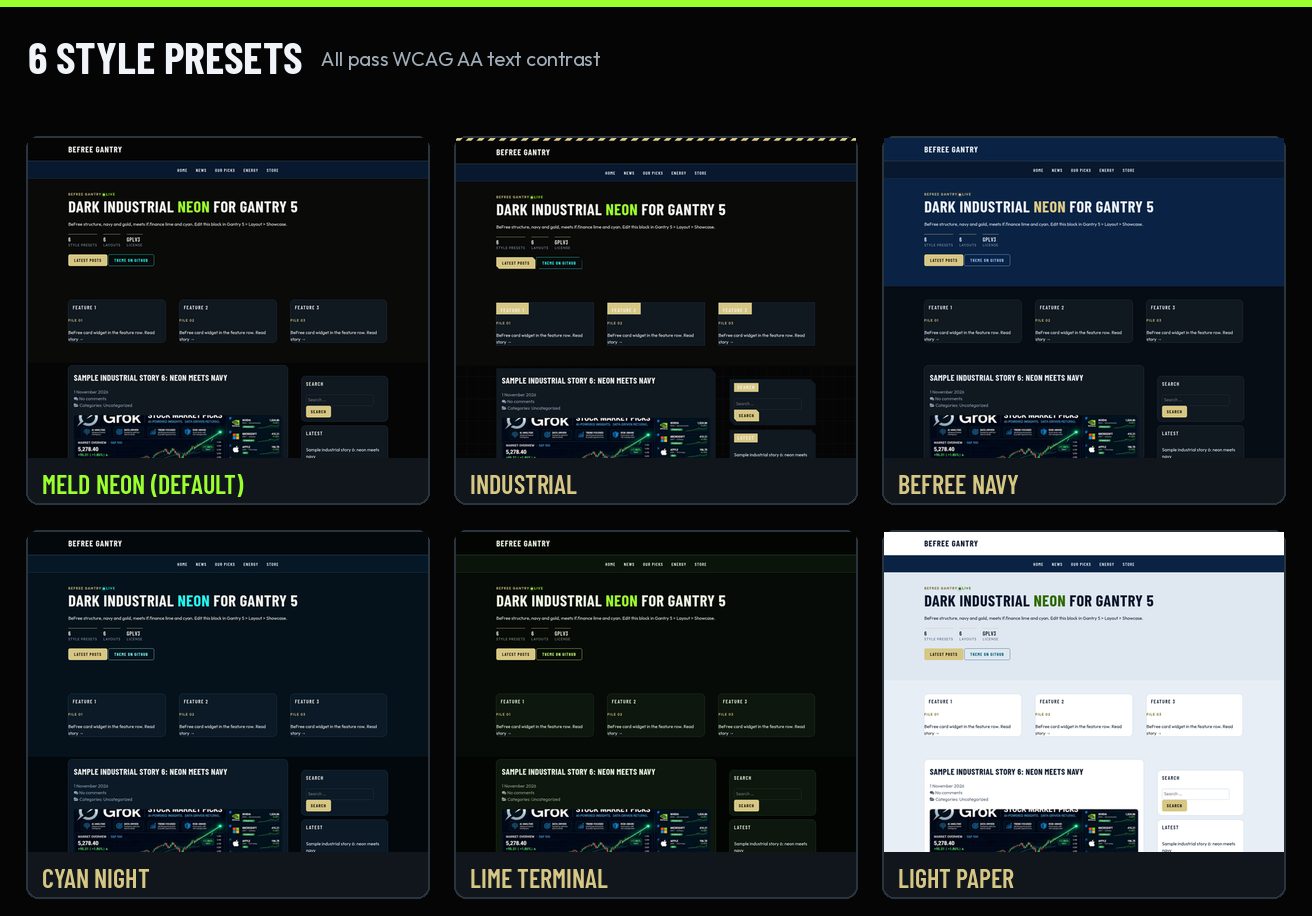
| Style | The look | Lowest text contrast |
| Meld Neon (default) | if.finance lime and cyan on BeFree dark industrial | 5.69:1 |
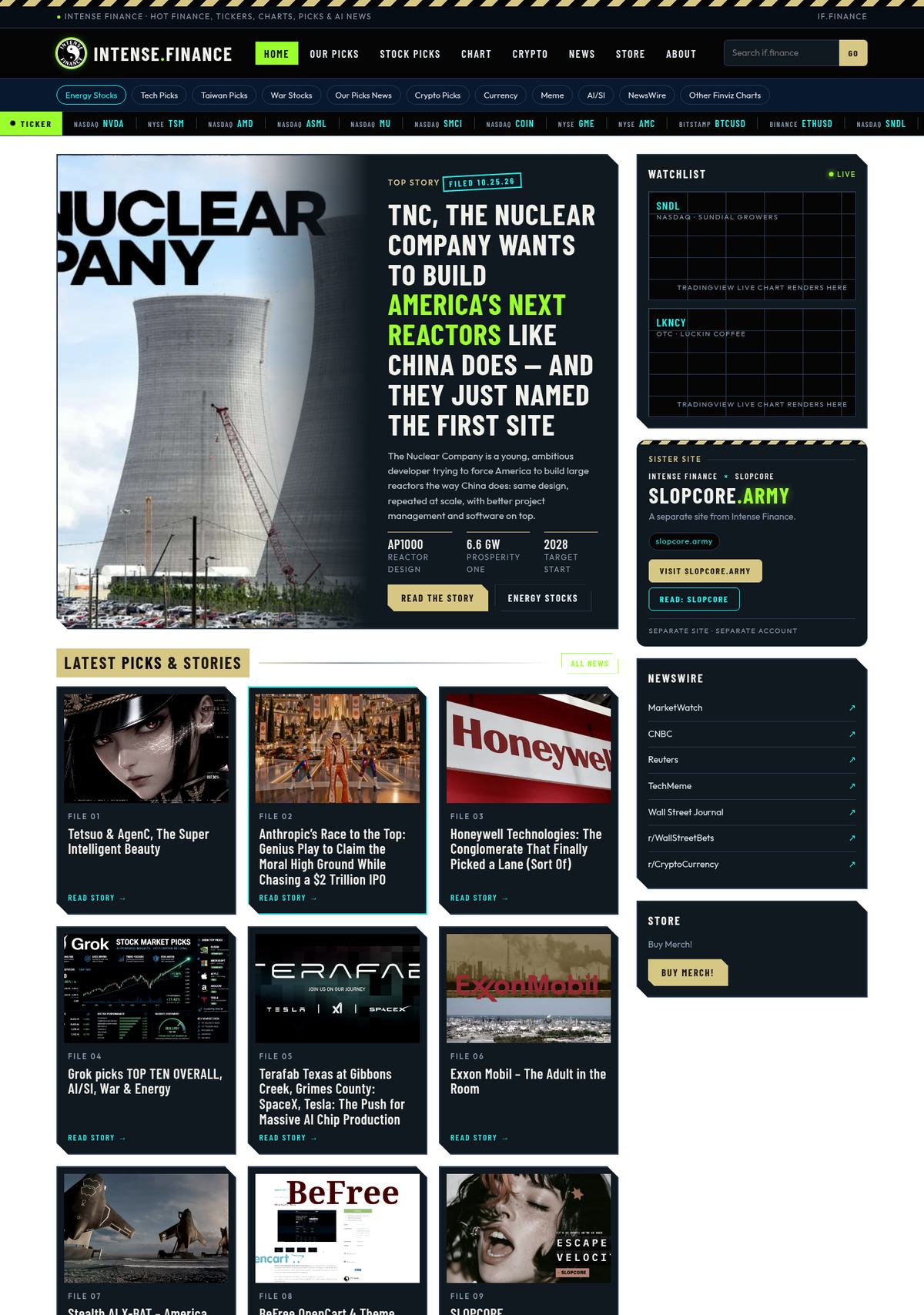
| Industrial | Hazard stripes, blueprint grid, chamfered cards, gold title plates, grayscale images | 5.69:1 |
| BeFree Navy | BeFree’s own navy and gold | 6.69:1 |
| Cyan Night | Cyan leads, lime as the second accent | 5.69:1 |
| Lime Terminal | Lime on near-black, terminal style | 6.97:1 |
| Light Paper | Light pages with a navy nav bar and footer | 5.57:1 |
Seven layouts
Load a layout from Gantry 5 > Layout > Load: Default (main with a right sidebar), Left Sidebar, Both Sidebars, Full Width, Magazine Home, Offline and Error. Magazine Home adds a hero row and a three-up feature grid above the posts.
Two sites, one spirit
The Sister Site block ties two websites together without merging them. It ships pointing at if.finance and slopcore.army, and every label, link and button can be changed in its settings. Links are plain links, with no tracking, scripts or redirects. A version of it is live in the if.finance home sidebar.
Your charts stay put
if.finance runs a lot of live stock and crypto charts, so this was a hard rule. BeFree Gantry never restyles TradingView or other chart embeds. The only rule that touches them recolors the small TradingView credit link. Custom HTML and Block widgets, where charts usually live, get no extra padding, clipping or cut corners, so charts keep the size they were embedded at.
Chart embeds are left as they are.
BeFree Gantry README
Install it in four steps
- Install and activate the free Gantry 5 Framework plugin (Plugins > Add New, search “Gantry 5”). The theme needs it, the same as Hydrogen does.
- Download befree-gantry-1.0.0.zip (about 1 MB) from the v1.0.0 release.
- Go to Appearance > Themes > Add New > Upload Theme, choose the zip, then click Install Now and Activate.
- Open Gantry 5 > BeFree Gantry and pick your style, layout and blocks.
To check your download, compare its SHA-256 checksum with this one (also attached to the release):
30d73912857b654b49495409715ef29c8372188ad295ff1b2a3fa8d286ad448b befree-gantry-1.0.0.zipQuick facts
| Version | 1.0.0 |
| License | GNU GPL v3 or later. Free to use, change and share. |
| Requires | WordPress 6.0+, PHP 7.4+, Gantry 5 Framework plugin 5.6.x |
| Based on | Gantry 5 Hydrogen by Tiger12, LLC (originally RocketTheme, LLC), GPL v2 or later |
| Fonts | Barlow Condensed and Outfit, SIL Open Font License 1.1, bundled locally |
| Download | befree-gantry-1.0.0.zip, about 1 MB |
| Source | github.com/Intense-Finance/BeFree-Gantry |
The BeFree family
BeFree Gantry is the WordPress sibling of BeFree for OpenCart 4 (source on GitHub), the store theme behind pro1intl.store and slopcore.army. Same design language, two platforms, both GPLv3.
Credits and license
BeFree Gantry is a modified version of the Gantry 5 Hydrogen theme, Copyright (C) 2007 – 2022 Tiger12, LLC (originally created by RocketTheme, LLC), GNU GPL v2 or later. The Gantry 5 Framework is a separate plugin by Tiger12, LLC / RocketTheme, LLC and is not bundled. Barlow Condensed is Copyright 2017 The Barlow Project Authors and Outfit is Copyright 2021 The Outfit Project Authors, both under the SIL Open Font License 1.1. No paid or “Pro” RocketTheme code is used. BeFree Gantry is Copyright (C) 2026 Intense Finance, released under the GNU General Public License version 3 or (at your option) any later version.